
Salary Dashboard
A local-first personal finance dashboard that turns raw monthly payslip PDFs into interactive salary charts, deduction breakdowns, career-growth timelines, and exportable reports.
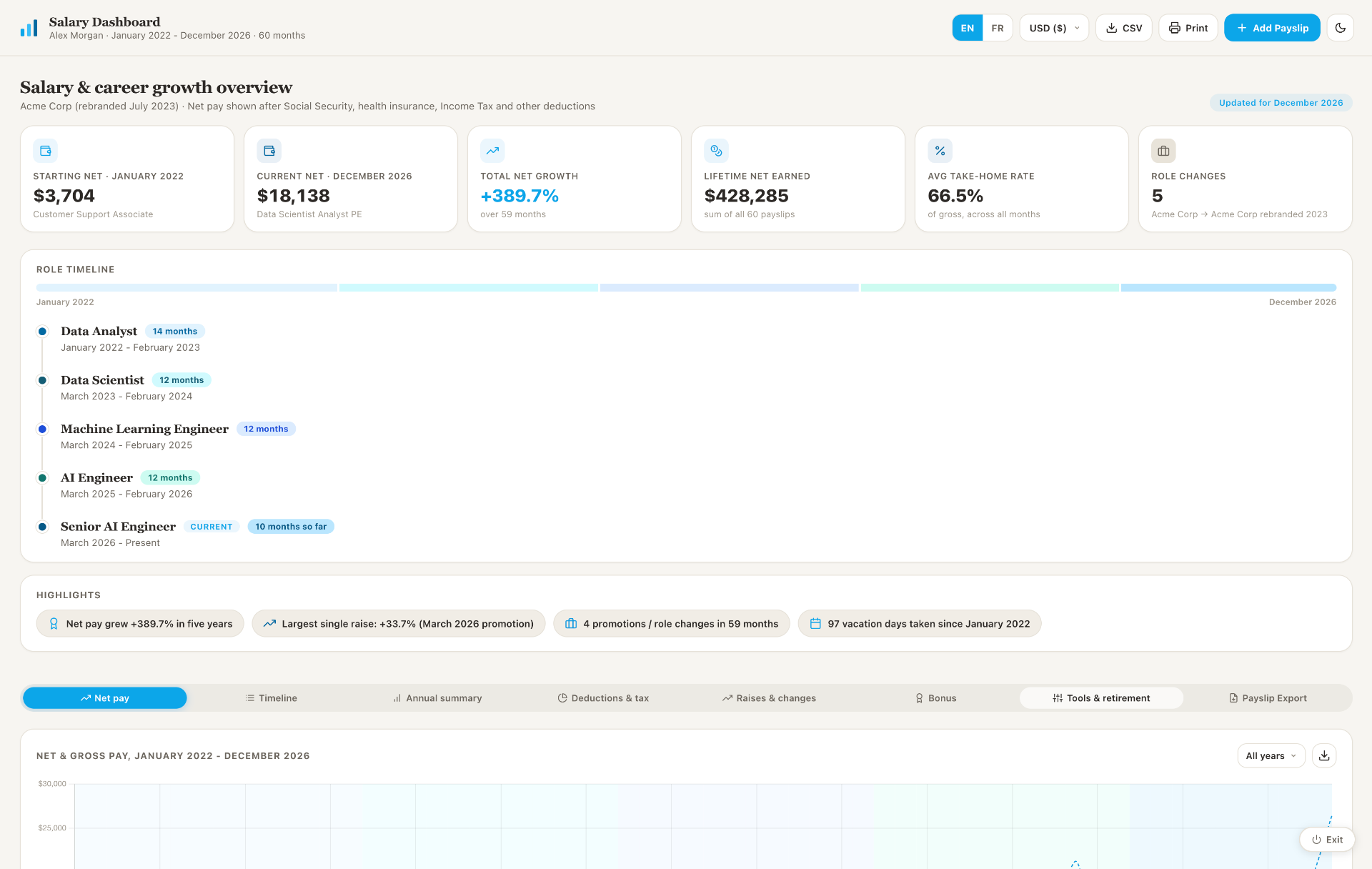
Salary Dashboard is a self-contained web app that runs entirely on the user's own computer. It loads payslip data from a local JSON file, renders it across eight analytical tabs, and lets the user add new monthly payslips by uploading a PDF, the app parses the figures automatically, lets the user review them, and saves them locally without ever touching an external server.
It was built to replace a brittle salary spreadsheet, and to keep sensitive financial data fully on the machine. The demo edition ships with 60 months of synthetic data for a fictional employee spanning five tech roles.
13 interactive charts
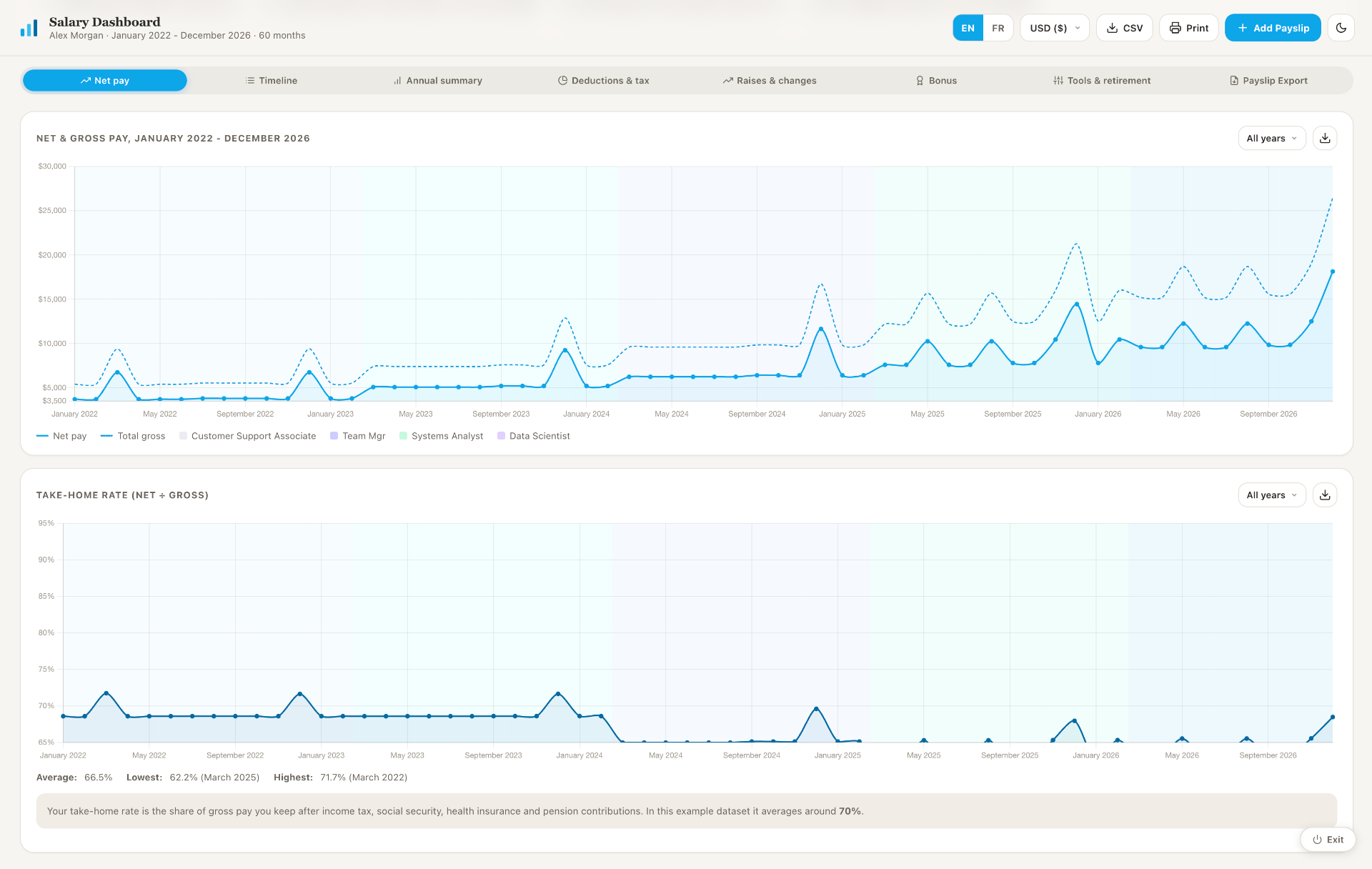
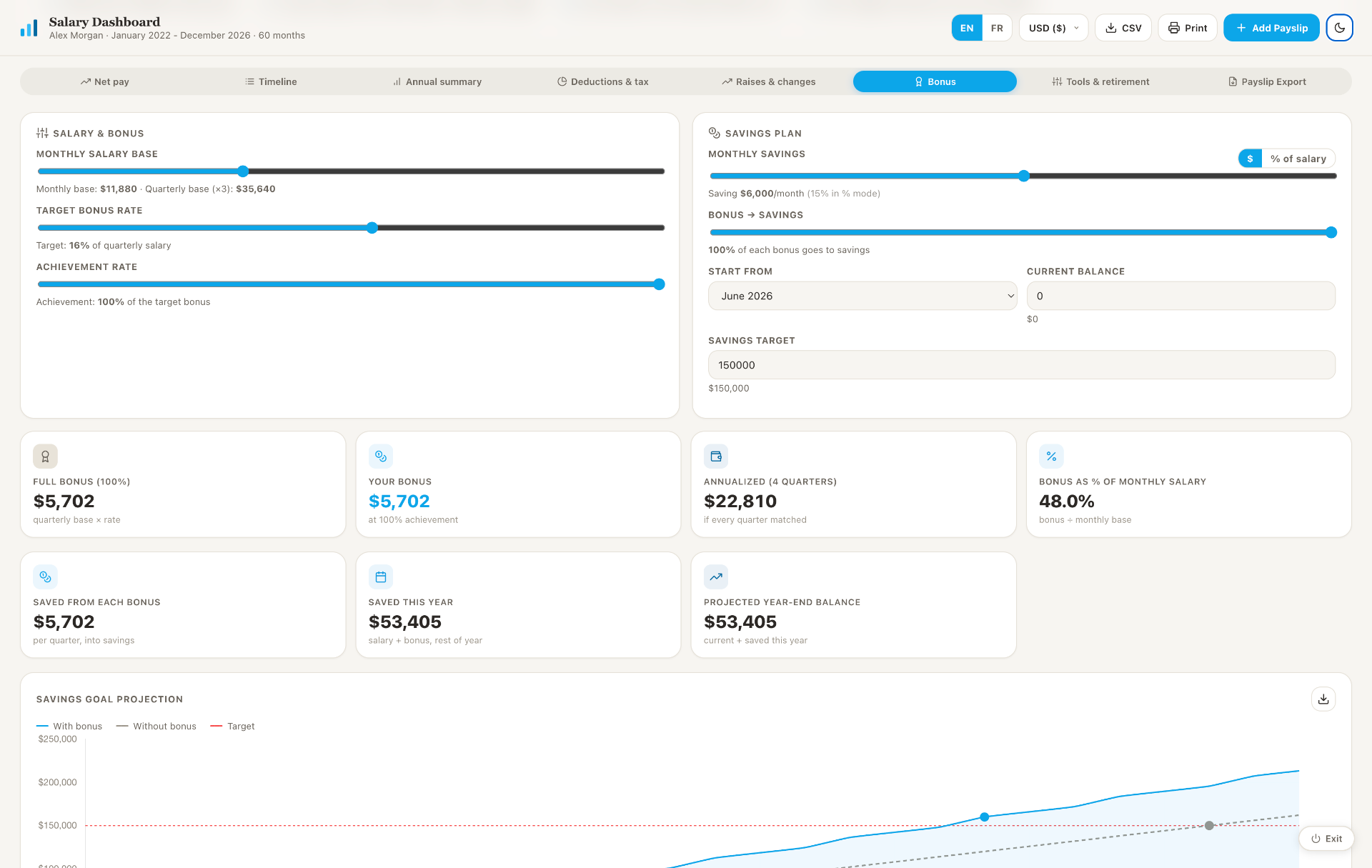
Line, bar, donut, and projection charts across 8 tabs, all live-updating on currency, language, and tab switches.
Self-service payslip ingestion
Drag and drop a PDF, six financial fields auto-extract in the browser, review, save. No code required after setup.
100% local-first
Python stdlib server bound to 127.0.0.1, vendored Chart.js and pdf.js, no analytics, no CDN at runtime.
Multi-currency & bilingual
USD / EUR / GBP switcher applies live to every chart, stat card, export preview and PDF. Full EN / FR toggle.
PDF export, currency-aware
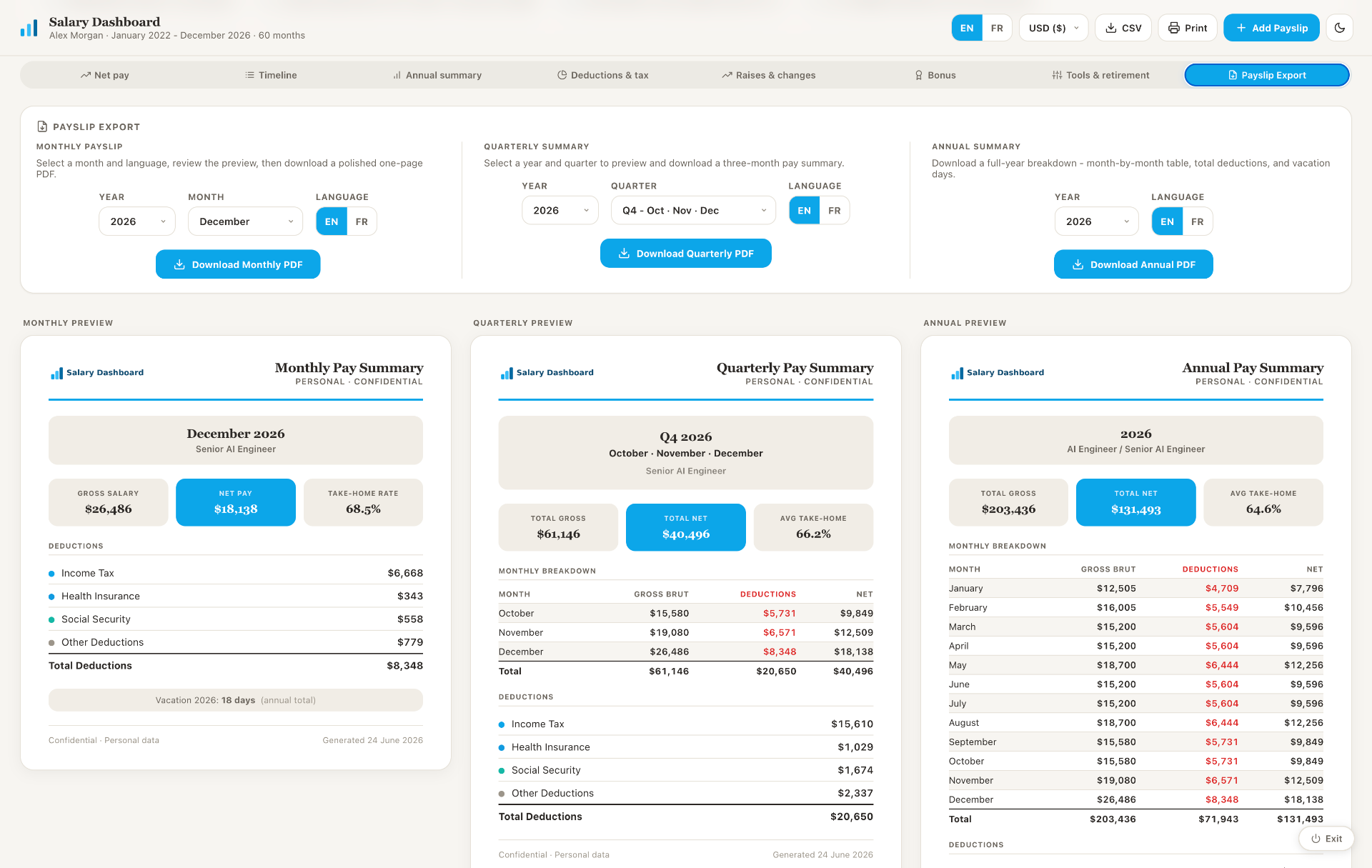
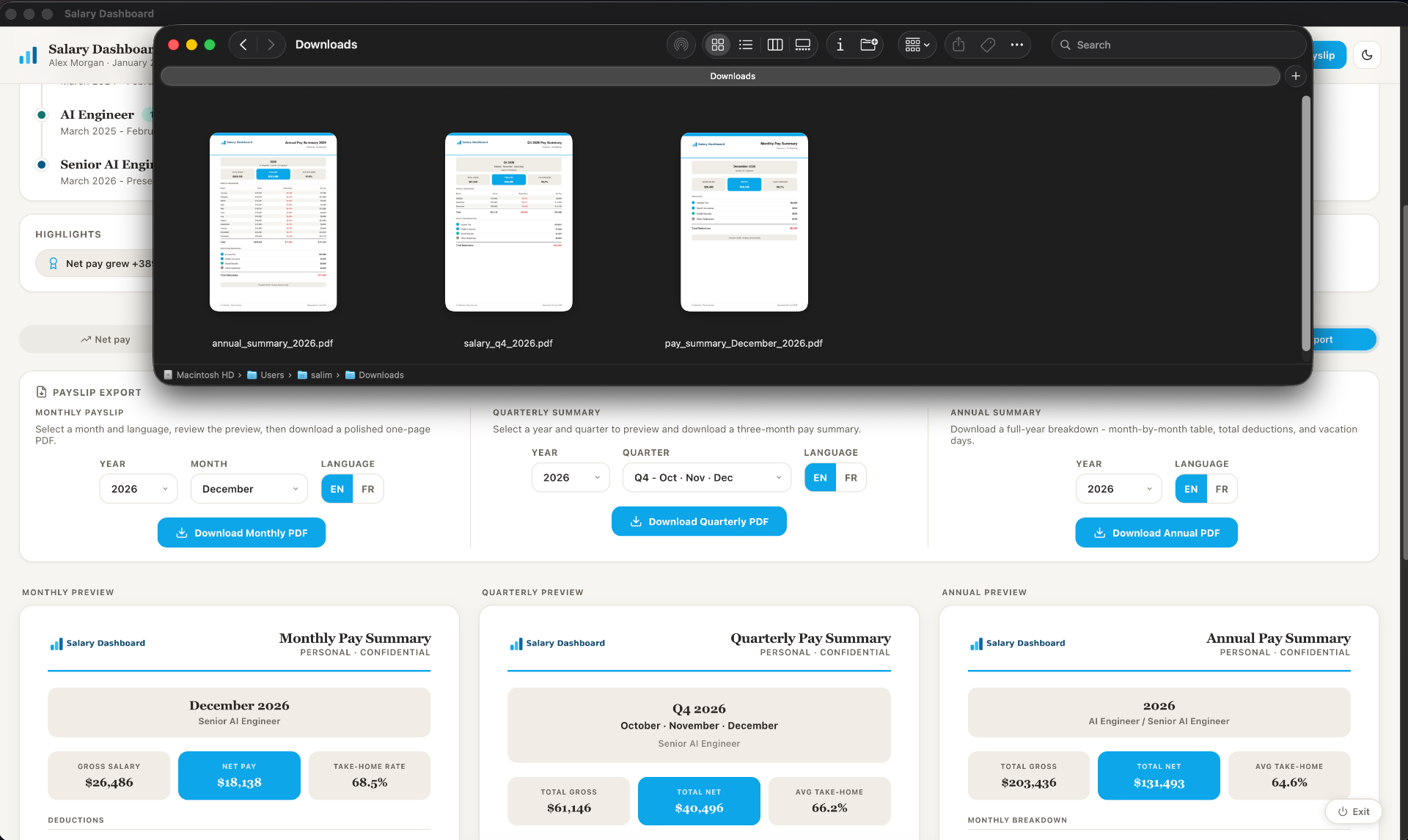
Monthly, quarterly, and annual exports rendered client-side with jsPDF. WinAnsi-safe formatting, live previews.
Dark mode + PWA installable
Light/dark theme persisted to localStorage. Ships with a manifest and service worker for Chrome desktop install.
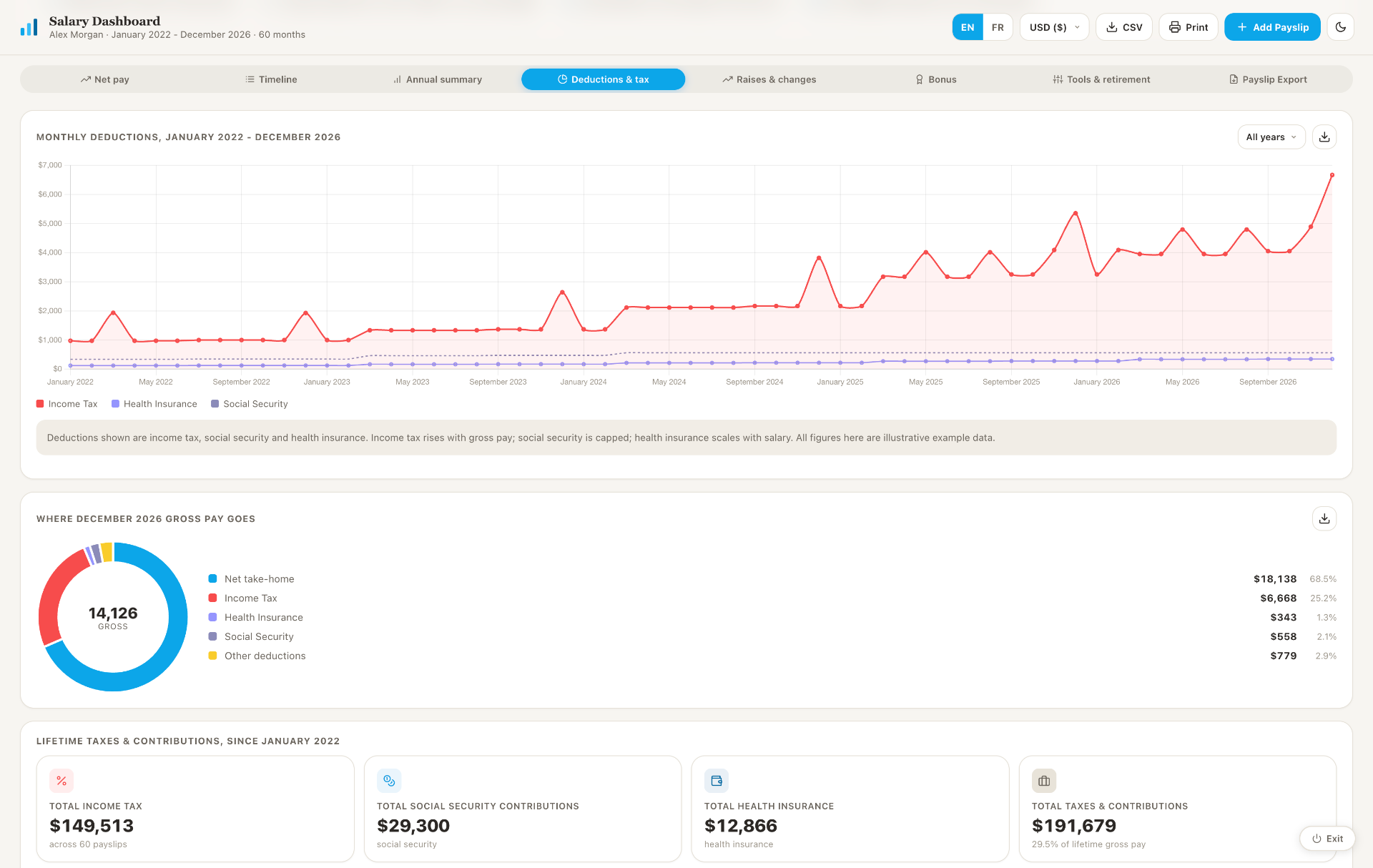
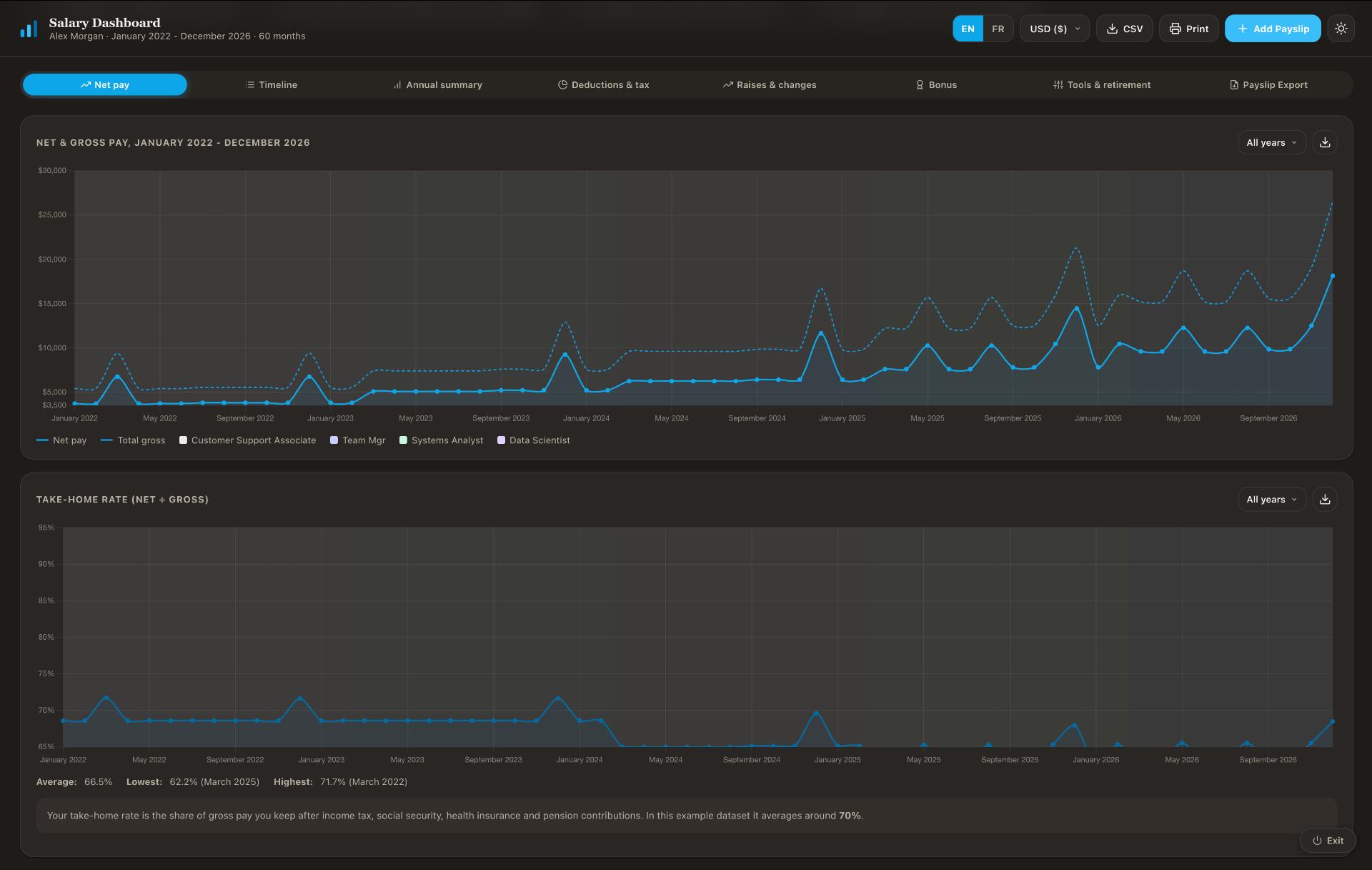
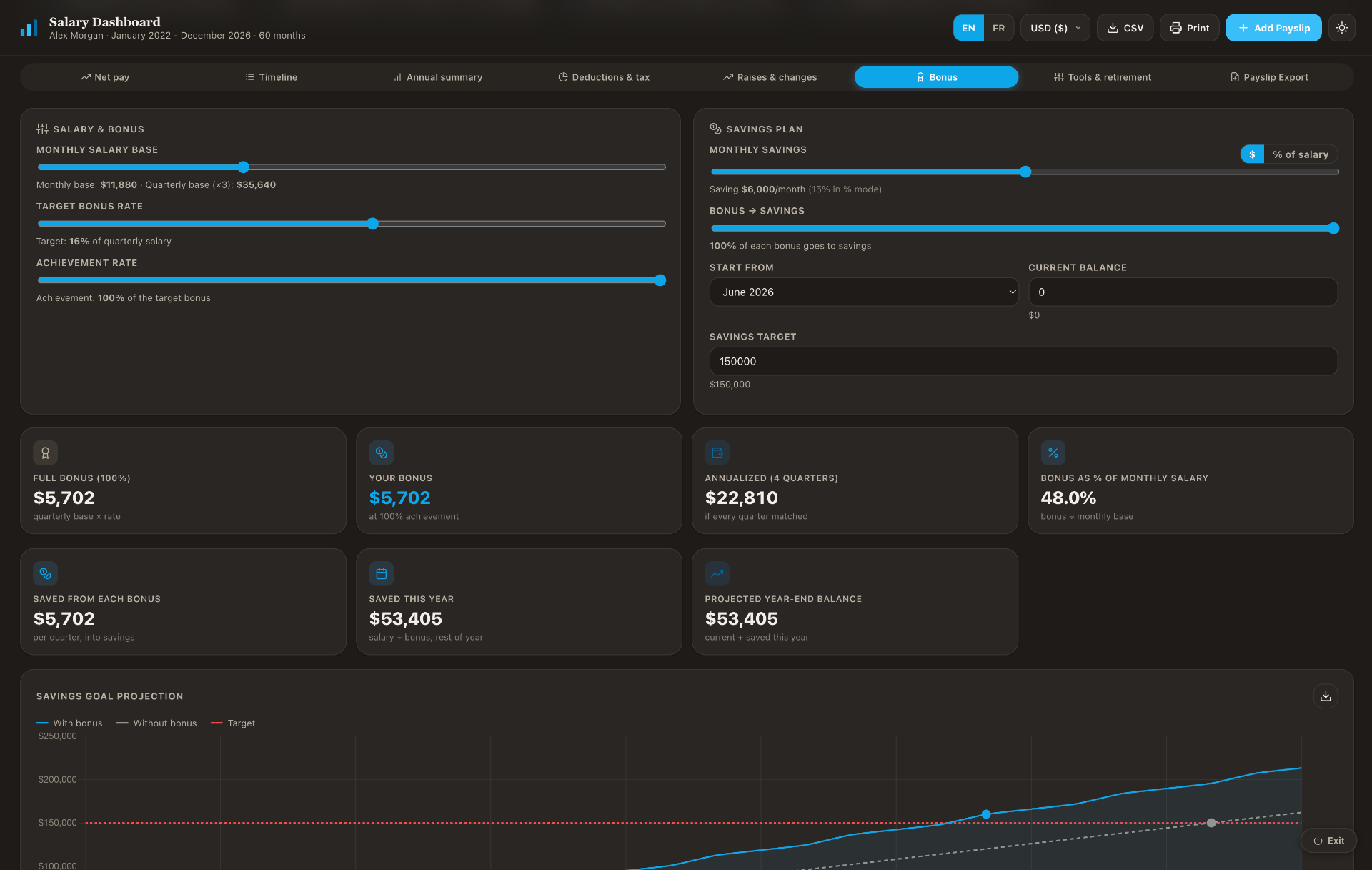
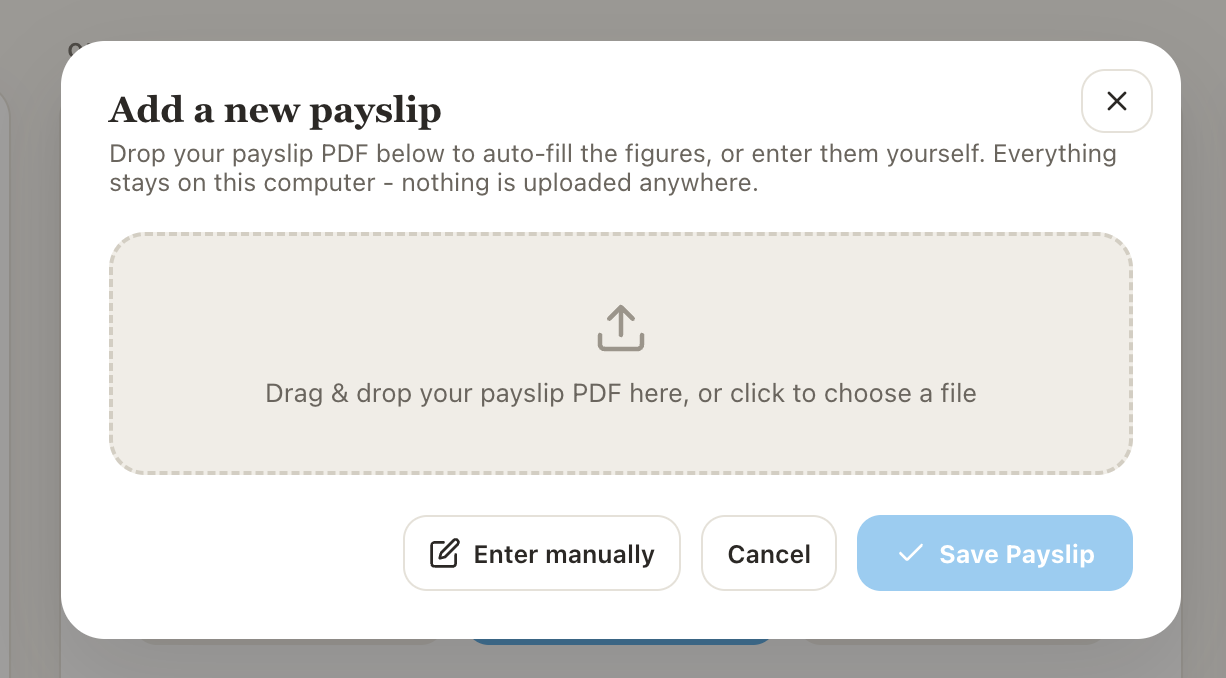
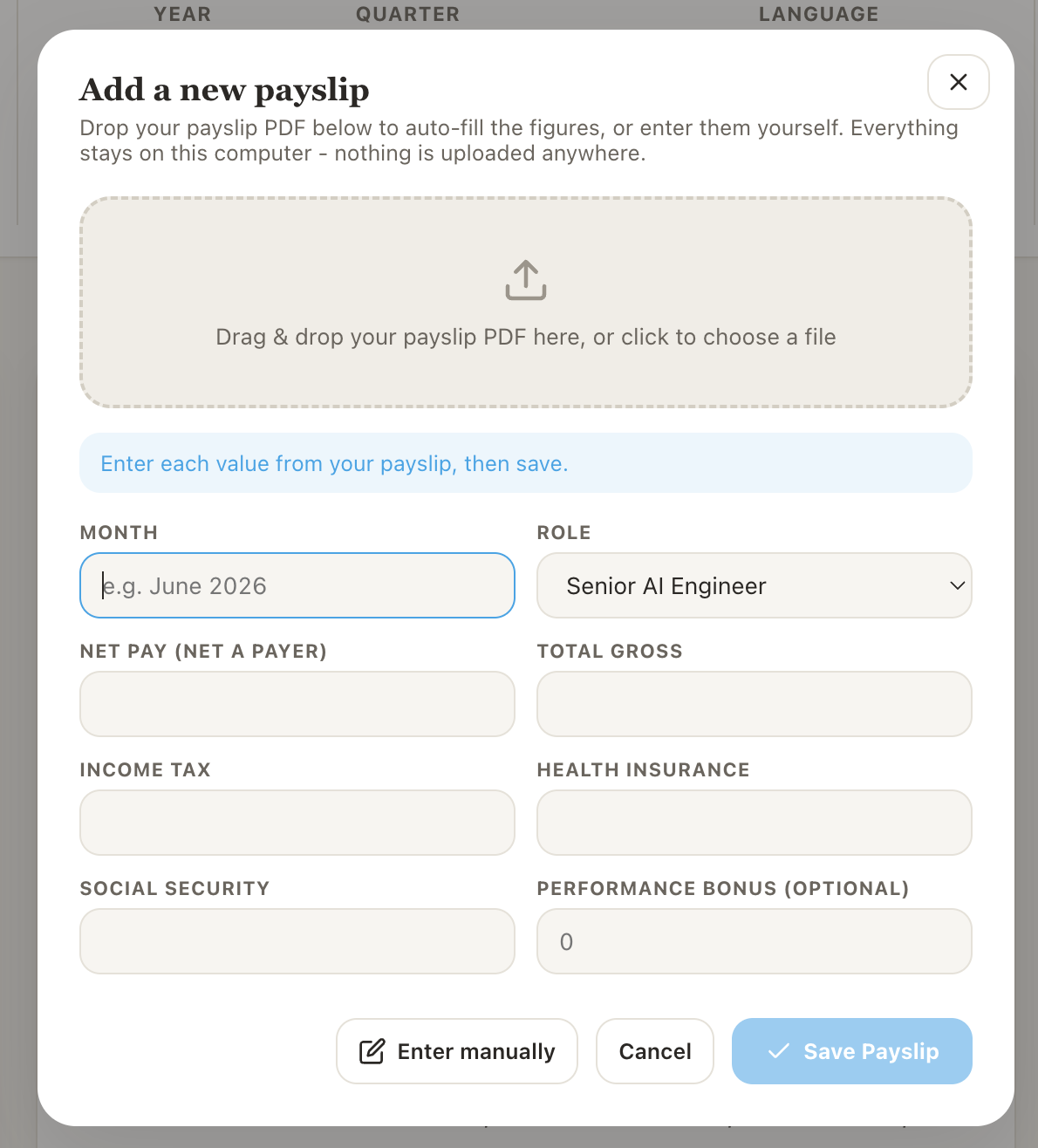
This short clip walks through adding a new payslip end-to-end. Drop in the PDF, the dashboard automatically extracts the net pay, gross, income tax, health insurance, and social security from the file, you review the values, save, and the dashboard reloads with the new month slotted into place.
Starting the app
The user double-clicks Start Dashboard.command. A local Python 3 server starts on 127.0.0.1:8743 (localhost only) and the dashboard opens in the browser.
Adding a payslip
Clicking Add Payslip opens a modal. Dropping in a PDF triggers pdf.js to extract the month label, net pay, gross, income tax, health insurance, and social security. The user reviews and saves, the server inserts the new month chronologically into data.json and the dashboard reloads.
Exporting
In the Payslip Export tab the user picks month, quarter, or year and sees a live preview. Clicking export generates a polished PDF client-side with jsPDF and downloads it locally.
- Zero external runtime dependencies. The Python server uses only stdlib. No analytics, no telemetry, no CDN calls at runtime.
- Parallel-array data model, inserting a new month at any chronological position keeps every per-month array aligned.
- Client-side PDF parsing, pdf.js runs in the browser sandbox; the raw payslip PDF never leaves the machine.
- jsPDF WinAnsi constraint handled, number formatting uses ASCII-safe spacing to avoid font rendering issues.
- Network-first service worker, so code edits appear on a normal reload without forcing a hard refresh.
- Fully anonymised demo, a verified pipeline replaced every identifying field in a real production dashboard before sharing.
End-to-end product thinking
Built to solve a real problem, not as a technical exercise. Includes a polished UI, self-service data ingestion, and export functionality that produces a usable output.
Client-side data processing
Comfort with browser-native APIs, pdf.js for parsing, jsPDF for generation, and the practical constraints that come with them (encoding limits, async extraction, DOM-based rendering).
Lightweight backend design
A ~200-line Python stdlib server, no framework. The right tool for a local-only use case: file serving, chronological data insertion, shutdown endpoint.
Data integrity under mutation
Inserting a new month at an arbitrary position keeps every parallel array aligned, including chronological sorting of out-of-order entries.
Responsible handling of sensitive data
No payslip data ever transmitted externally. Vendored dependencies, localhost-only binding, and no analytics are deliberate architectural choices.